Scan paper into clean, searchable PDFs
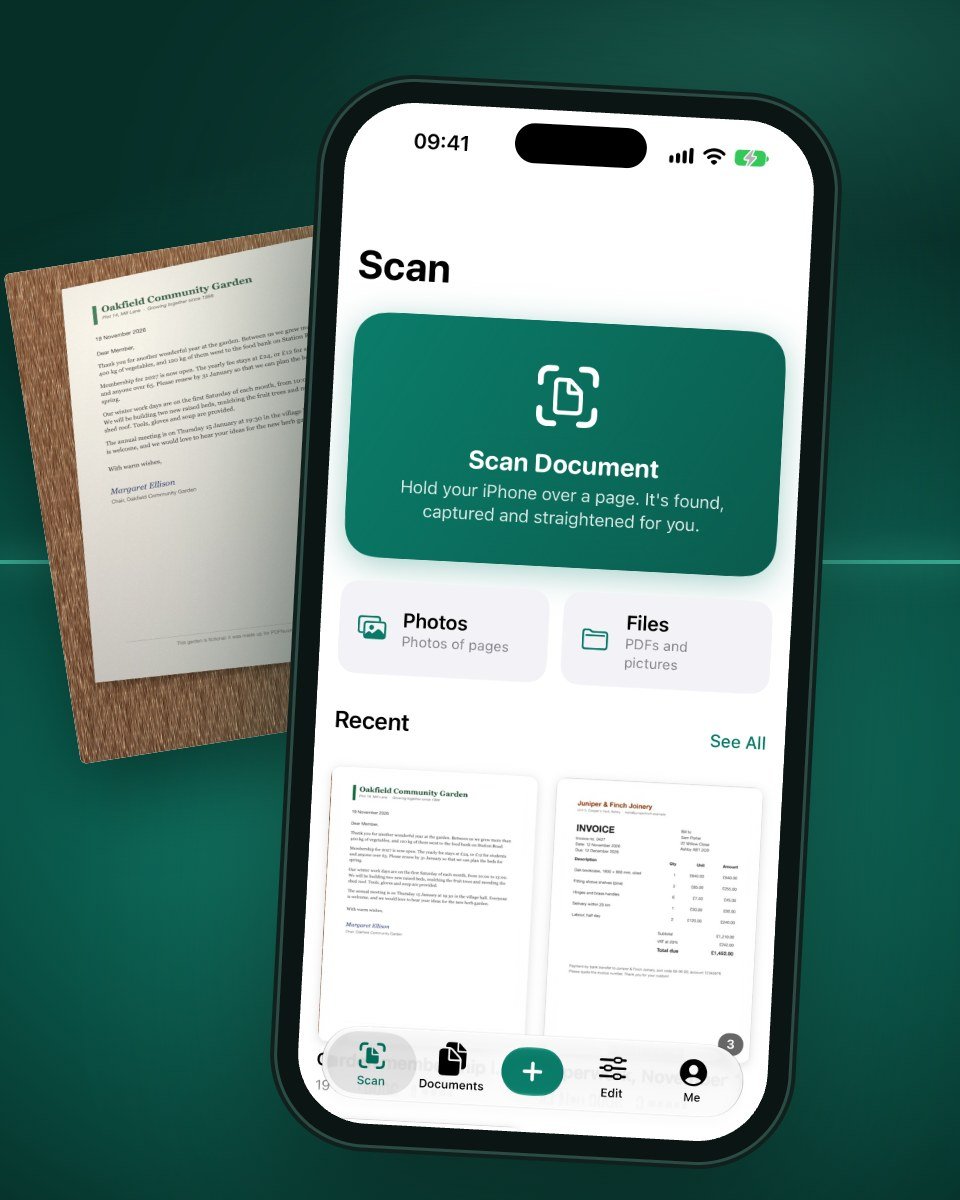
A document scanner for iPhone and iPad. Point it at a page: PDFNuvio finds the edges, takes the picture, flattens it and reads the text, all on your device.
Coming soon to the App Store
How scanning works
- Point at the page. PDFNuvio uses Apple's document camera, the same one as the Notes app. It finds the page's edges and takes the picture itself once the page is in view, or tap the shutter.
- Keep going. Scan as many pages as the document has; each is cropped to its edges and flattened, even if you held the phone at an angle.
- Tidy each page. Pick a filter, adjust the crop, rotate and set the light. Every page can be different.
- Save the PDF. The text on each page is recognised on your device, so the PDF is searchable. Share it, save it to Files or copy the text.
Features
Edge finding and flattening
Pages are found, cropped and straightened automatically, several to a scan.
Four filters per page
Original, Enhanced colour, Greyscale and Black & White, with crop, rotate and light sliders.
Searchable PDFs
On-device text recognition makes the PDF's text searchable and selectable. A4 or US Letter.
Search by text
Find a scan by any word on its pages, not just by its name.
Share, save, copy
Send the PDF anywhere, save it to Files, or copy a page's text to paste elsewhere.
Import
Turn pictures from Photos and files from the Files app into PDF pages too.
iPhone and iPad
Made for both. Purchases belong to your Apple Account: Restore Purchases brings them to another device.
No account
Open the app and scan. Nothing to sign up for, nothing to log in to.
Pricing
Free to download, and your first 2 scans are free. After that, choose one for unlimited scans:
Monthly
$2.99
a month, renews automatically until cancelled.
Lifetime
$21.99
once. Not a subscription: it never renews.
Prices in US dollars; the App Store shows the price in your currency. There's no free trial. Payment is charged to your Apple Account. Monthly renews automatically unless cancelled at least 24 hours before the end of the current period; manage or cancel it in Settings › your name › Subscriptions. Already bought it? Tap Restore Purchases in the app. Use of the app is covered by Apple's standard Terms of Use (EULA).
Private by design. Scanning, text recognition and making the PDF all happen on your iPhone or iPad. No account, no uploads, no analytics, no ads, no tracking: your documents are never sent to us or anyone else. Privacy Policy
Questions
Is the PDF searchable?
Yes. PDFNuvio recognises the text on each page on your device and adds it to the PDF, so you can search it, select it and copy it in other apps. You can also search all your scans by their text inside PDFNuvio.
Are my documents uploaded anywhere?
No. Everything happens on your iPhone or iPad. There's no account, nothing is uploaded and PDFNuvio collects no data.
Can I scan several pages into one PDF?
Yes. Keep scanning page after page; they all go into the same document. Each page can have its own filter, crop and rotation.
Can I turn photos I already have into a PDF?
Yes. Import pictures from Photos or files from the Files app, and PDFNuvio treats them like scanned pages.
Is it free?
It's free to download and your first 2 scans are free. After that, choose Monthly or Lifetime in the app. There's no free trial.
Anything else: see Support.